Implementing Phishing-Resistant MFA for Ultra-Privileged Users

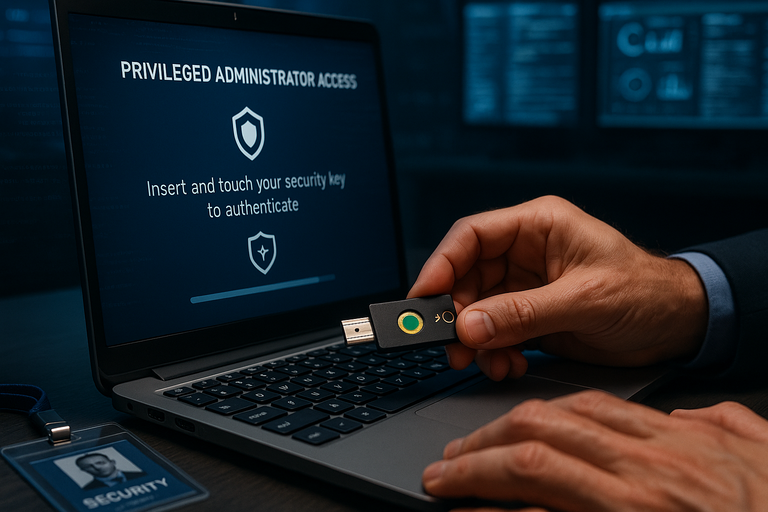
In today's evolving threat landscape, ultra-privileged user accounts represent the crown jewels of any organization's digital infrastructure. These accounts—belonging to domain administrators, security team members, and other users with elevated access rights—are prime targets for sophisticated threat actors. According to Forrester, approximately 80 percent of data breaches are linked to compromised privileged credentials. The Colonial Pipeline and SolarWinds incidents of 2021 demonstrated how devastating these attacks can be when privileged access is compromised.
While traditional multi-factor authentication (MFA) has been a cornerstone of identity security for years, not all MFA solutions provide equal protection. Many conventional MFA methods remain vulnerable to sophisticated phishing attacks, push bombing, and other advanced techniques. For ultra-privileged users who hold the keys to your kingdom, standard MFA is no longer sufficient—phishing-resistant MFA has become the gold standard for protecting these critical accounts.
Understanding Phishing-Resistant MFA
Phishing-resistant MFA refers to authentication methods that are immune from attempts to compromise or subvert the authentication process. Unlike traditional MFA methods such as SMS codes or push notifications, phishing-resistant MFA leverages cryptographic techniques that cannot be easily intercepted, replicated, or redirected.
The Cybersecurity and Infrastructure Security Agency (CISA) defines phishing-resistant MFA as authentication that is immune to common attack vectors including spear phishing, man-in-the-middle attacks, replay attacks, and credential stuffing. This resistance is achieved by requiring each party to provide proof of both their identity and intent through deliberate action.
The core components that make MFA truly phishing-resistant include:
- Strong binding between authenticator and user identity - A trust relationship established through a cryptographic registration process that ensures future authentication sessions occur solely between the registered authenticator and the relying party.
- Elimination of shared secrets - Authentication based on unique public and private keypairs that perform secure asymmetric cryptographic ceremonies, rather than shared codes that can be intercepted.
- Response only to trusted parties - Authentication solutions that resist verifier impersonation attacks by responding only to valid requests from known and trusted parties.
- User intent verification - Requiring deliberate user action to initiate and authorize login, reducing the attack surface significantly.
Phishing-Resistant MFA Options for Ultra-Privileged Users
For ultra-privileged users, organizations should implement the strongest available authentication methods. The two primary phishing-resistant MFA technologies recognized by security authorities like CISA and the Office of Management and Budget (OMB) are:
1. FIDO2/WebAuthn Authentication
FIDO2 is the only widely available phishing-resistant authentication standard. Developed by the FIDO Alliance and now published by the World Wide Web Consortium (W3C), WebAuthn works with the FIDO2 standard to provide phishing-resistant authentication. This approach uses public key cryptography where the private key remains securely stored on the user's device and cannot be extracted.
FIDO2 authenticators come in two primary forms:
- Roaming authenticators - Physical security keys connected via USB, NFC, or Bluetooth that can be used across multiple devices.
- Platform authenticators - Built into devices like Windows Hello for Business on Windows devices, Touch ID on Apple devices, or passkeys in mobile authenticator apps.
For ultra-privileged users, hardware security keys are often the preferred option as they provide a physical factor that must be present during authentication, making remote compromise nearly impossible. These keys don't require external power or network connections and don't publish stored data. They're also crush-proof, water-resistant, and can be used in environments where smart devices are prohibited.
2. PKI-based Authentication (Smart Cards)
Public Key Infrastructure (PKI)-based MFA is another form of phishing-resistant authentication. The most common implementation is smart cards, which have been used by government agencies for decades. In PKI-based MFA, a user's credentials are contained in a security chip on a smart card that must be physically connected to a device for authentication (along with a PIN or password).
Examples include the U.S. government's Personal Identity Verification (PIV) card and Common Access Card (CAC). While PKI-based MFA provides strong security, it requires highly mature identity management practices and isn't as widely supported by common services and infrastructure without Single Sign-On (SSO) technologies.
Use Cases for Phishing-Resistant MFA in Ultra-Privileged Environments
Different user personas within the privileged user category have unique requirements and considerations. Understanding these use cases is critical for effective implementation.
IT Administrators and System Operators
IT administrators typically manage critical infrastructure and have extensive access rights across multiple systems. These users often have multiple accounts, including standard user accounts and administrative accounts with elevated privileges.
Key considerations:
- Remote administration through RDP, SSH, and other protocols
- Need for both portable and local credentials
- Management of multiple privileged accounts
- Automation and scripting requirements
Recommended approach: For primary accounts, implement Microsoft Authenticator app passkeys or FIDO2 security keys as portable credentials, complemented by Windows Hello for Business or Platform SSO Secure Enclave Key as local credentials. For secondary accounts, focus on portable credentials like FIDO2 security keys or smart cards.
Security Team Members
Security professionals often require privileged access to investigate incidents, manage security tools, and respond to threats. They may need to access systems during emergencies when normal authentication processes might be compromised.
Key considerations:
- Emergency access requirements
- Access to security monitoring and response tools
- Incident response scenarios
Recommended approach: Implement FIDO2 security keys as primary authentication method, with backup smart cards for environments where FIDO2 isn't supported. Establish separate emergency access procedures with break-glass accounts that have different authentication requirements.
Database Administrators
Database administrators manage critical data repositories that often contain sensitive information. Their privileged access must be strongly protected while maintaining operational efficiency.
Key considerations:
- Database management tools and interfaces
- Scheduled maintenance activities
- Performance monitoring requirements
Recommended approach: Implement FIDO2 security keys for interactive sessions, with certificate-based authentication for specific database management tools. Use managed identities or service principals for automated tasks rather than human accounts.
DevOps Engineers
DevOps engineers often require privileged access to deployment pipelines, infrastructure automation tools, and production environments. They frequently use automation that traditionally relied on stored credentials.
Key considerations:
- CI/CD pipeline access
- Infrastructure as Code deployments
- Automated scripts and processes
- Cloud platform access
Recommended approach: For interactive access, implement FIDO2 security keys or passkeys. For automation, transition from human accounts with stored credentials to service principals with managed identities. Implement just-in-time privileged access management for production environment access.
How Phishing-Resistant MFA Mitigates Specific Attack Vectors
Understanding how phishing-resistant MFA counters specific attack vectors is crucial for security teams implementing these solutions. Here's how these technologies address common threats targeting privileged users:
Phishing Attacks
Attack vector: Sophisticated phishing attacks that mimic legitimate login portals to capture credentials and MFA codes.
How FIDO2/WebAuthn mitigates this: FIDO2 authenticators cryptographically verify the identity of the service they're authenticating to. The authentication will fail if a user attempts to authenticate to a fraudulent site because the site's origin doesn't match what's expected by the authenticator. The private key used for authentication never leaves the authenticator device, and there are no shared secrets that can be phished.
How PKI/smart cards mitigate this: Smart cards use similar cryptographic principles to verify the service's identity before completing authentication. The private key remains on the physical card and cannot be extracted.
Push Bombing (MFA Fatigue)
Attack vector: Attackers bombard users with authentication push notifications, hoping they'll eventually approve one out of frustration or confusion.
How FIDO2/WebAuthn mitigates this: FIDO2 authentication requires a deliberate physical action (touching a security key or using biometrics) for each authentication attempt. There's no way to "accidentally" approve an authentication request, and the user must initiate the authentication process.
How PKI/smart cards mitigate this: Smart cards require physical insertion and PIN entry for each authentication, making automated approval impossible.
Man-in-the-Middle Attacks
Attack vector: Attackers position themselves between the user and the legitimate service, intercepting and relaying authentication information.
How FIDO2/WebAuthn mitigates this: The cryptographic challenge-response mechanism used by FIDO2 includes the origin of the requesting site, preventing relay attacks. Each authentication response is unique and can't be reused.
How PKI/smart cards mitigate this: The cryptographic signatures generated by smart cards are tied to the specific authentication session and cannot be reused in another context.
Credential Stuffing
Attack vector: Attackers use stolen username/password combinations from one service to attempt access to other services.
How both methods mitigate this: Even if a password is compromised, the attacker cannot authenticate without the physical security key or smart card. The cryptographic keys used are unique to each service, so credentials stolen from one service cannot be used on another.
Social Engineering
Attack vector: Attackers manipulate users into revealing authentication information through deception.
How both methods mitigate this: There are no codes or secrets that can be verbally shared or typed into a fraudulent site. The authentication requires physical possession of the security key or smart card, which cannot be socially engineered away from the user remotely.
Implementation Requirements for Phishing-Resistant MFA
Successfully deploying phishing-resistant MFA for ultra-privileged users requires careful planning and consideration of various technical and organizational factors.
Technical Prerequisites
- Identity Provider Support - Ensure your identity provider (such as Microsoft Entra ID, Okta, or Ping Identity) supports FIDO2/WebAuthn or certificate-based authentication.
- Device Compatibility - Verify that user devices meet minimum requirements:
- Windows 10 (version 22H2) or Windows 11 for Windows Hello for Business
- macOS 13 Ventura or later for Platform SSO Secure Enclave Key
- iOS 17 or later for passkeys in authenticator apps
- Android 14 or later for passkeys in authenticator apps
- Application Integration - Ensure critical applications support modern authentication protocols. Legacy applications may require additional integration through identity proxies or gateways.
- Network Infrastructure - For certificate-based authentication, ensure your PKI infrastructure is properly configured and maintained.
Organizational Requirements
- Stakeholder Engagement - Involve key teams including:
- Identity and Access Management (IAM)
- Information Security Architecture
- Information Security Operations
- Security Assurance and Audit
- Help Desk and Support
- End-User Communications
- Policy Development - Create clear policies for:
- Authentication method requirements for different privilege levels
- Device management and security requirements
- Lost/stolen authenticator procedures
- Emergency access procedures
- Training and Support - Develop comprehensive training materials and support processes for privileged users.
- Compliance Alignment - Ensure implementation meets relevant regulatory requirements.
Configuration Requirements for FIDO2/WebAuthn
When implementing FIDO2/WebAuthn for ultra-privileged users, specific configuration requirements must be addressed:
- Authentication Strength Policies - Configure authentication strength policies in your identity provider to require phishing-resistant MFA for privileged roles. In Microsoft Entra ID, this is done through Conditional Access policies with authentication strength requirements.
- Attestation - Enable attestation to verify the security properties and authenticity of authenticators. This ensures only approved, secure authenticators can be registered.
- User Verification - Require user verification (PIN or biometric) in addition to possession of the authenticator.
- Resident Keys (Discoverable Credentials) - Enable resident keys for improved user experience, allowing users to authenticate without entering a username first.
- Backup Authenticators - Configure policies to require registration of at least two authenticators to prevent lockout scenarios.
Configuration Requirements for Certificate-Based Authentication
For PKI-based authentication, additional configuration requirements include:
- Certificate Templates - Create secure certificate templates with appropriate key usage, extended key usage, and validity periods.
- Certificate Lifecycle Management - Implement processes for certificate issuance, renewal, and revocation.
- Smart Card Policies - Configure smart card policies including PIN complexity requirements and lockout thresholds.
- Certificate Trust - Ensure certificate chains are properly trusted across all systems.
- CRL/OCSP Configuration - Set up Certificate Revocation Lists (CRL) and Online Certificate Status Protocol (OCSP) for real-time certificate validation.
Implementation Steps for Ultra-Privileged Users
Implementing phishing-resistant MFA for ultra-privileged users should follow a structured approach to ensure security while minimizing operational disruption.
Phase 1: Planning and Preparation
- Identify Ultra-Privileged Users - Create an inventory of all ultra-privileged accounts and their owners. In Microsoft environments, this typically includes users with roles such as:
- Global Administrator
- Privileged Role Administrator
- Privileged Authentication Administrator
- Security Administrator
- Exchange Administrator
- SharePoint Administrator
- User Administrator
- Authentication Administrator
- Select Appropriate Authentication Methods - Based on user personas and requirements, select the appropriate phishing-resistant authentication methods. For most ultra-privileged users, a combination of FIDO2 security keys and platform authenticators (like Windows Hello for Business) provides the best balance of security and usability.
- Procure Hardware - If using hardware security keys, procure FIDO2-certified devices from reputable vendors. Consider FIPS 140-2 validated devices for regulated environments.
- Develop Backup Procedures - Create procedures for account recovery in case authenticators are lost or damaged. This typically involves registering multiple authenticators per user.
- Create Emergency Access Accounts - Establish break-glass emergency access accounts with different authentication requirements to prevent complete lockout scenarios.
Phase 2: Pilot Implementation
- Configure Identity Provider - Enable FIDO2/WebAuthn or certificate-based authentication in your identity provider. In Microsoft Entra ID, this involves:
- Enabling the Authentication methods policy for FIDO2 security keys or passkeys
- Configuring authentication strength policies
- Setting up Conditional Access policies in report-only mode
- Select Pilot Group - Identify a small group of ultra-privileged users for initial deployment. Include representatives from different administrative roles.
- Register Authenticators - Assist pilot users in registering their phishing-resistant authenticators. For new users without existing credentials, use Temporary Access Pass (TAP) to bootstrap their first authenticator.
- Monitor and Gather Feedback - Use authentication method activity reports to monitor usage and gather user feedback on the experience.
- Refine Processes - Adjust procedures based on pilot feedback before full deployment.
Phase 3: Full Deployment
- Develop Communication Plan - Create clear communications explaining the change, its importance, and the registration process. For ultra-privileged users, personalized communications and training sessions are often more effective than mass emails.
- Schedule Phased Rollout - Implement a phased approach to minimize operational impact:
- Phase 1: Register all ultra-privileged users with phishing-resistant authenticators while still allowing other methods
- Phase 2: Enable report-only policies requiring phishing-resistant MFA
- Phase 3: Enforce phishing-resistant MFA requirements
- Provide Support - Ensure help desk and support teams are prepared to assist with registration issues and troubleshooting.
- Monitor Adoption - Track registration and usage metrics to ensure all ultra-privileged users have successfully transitioned.
Phase 4: Enforcement and Monitoring
- Enable Enforcement Policies - Once all users have registered phishing-resistant authenticators, enable enforcement policies requiring their use. In Microsoft Entra ID, this involves:
- Creating Conditional Access policies targeting privileged roles
- Setting the grant control to require phishing-resistant MFA strength
- Excluding emergency access accounts from these policies
- Implement Continuous Monitoring - Set up monitoring for:
- Authentication failures that might indicate attempted attacks
- Compliance with phishing-resistant MFA requirements
- Anomalous authentication patterns
- Regular Security Reviews - Conduct periodic reviews of authentication policies and configurations to ensure they remain aligned with security requirements and best practices.
Special Considerations for Remote Access Scenarios
Ultra-privileged users often require remote access to critical systems, which presents unique challenges for phishing-resistant MFA implementation. Remote Desktop Protocol (RDP) is commonly used for administrative access and requires special consideration.
RDP Authentication with Phishing-Resistant MFA
When implementing phishing-resistant MFA for RDP access, two primary scenarios must be addressed:
- RDP Session Initiation - Authenticating the initial RDP connection using phishing-resistant credentials
- In-Session Authentication - Using phishing-resistant credentials within an established RDP session
For these scenarios to work, three components must support phishing-resistant authentication:
- Client Platform - The device initiating the RDP connection
- Target Platform - The server or system being accessed via RDP
- RDP Client Software - The application used to establish the connection
Supported Configurations for Ultra-Privileged Users
For ultra-privileged users requiring RDP access, the following configurations provide phishing-resistant protection:
- Windows-to-Windows Server with FIDO2:
- Client: Windows 10/11 with FIDO2 security key or Windows Hello for Business
- Target: Windows Server 2022 or later that is Microsoft Entra joined or hybrid joined
- RDP Client: MSTSC.exe or Windows Remote Desktop app
- Windows-to-Windows Server with Certificate-Based Authentication:
- Client: Windows 10/11 with smart card or certificate
- Target: Windows Server (any version) that is domain-joined
- RDP Client: MSTSC.exe or Windows Remote Desktop app
- Cross-Platform Access with Certificate-Based Authentication:
- Client: macOS, iOS, or Android with certificate
- Target: Windows Server that is Microsoft Entra joined or hybrid joined
- RDP Client: Windows Remote Desktop app for the respective platform
For jump server scenarios where administrators connect through intermediate servers to reach target systems, certificate-based authentication is generally more reliable than FIDO2, as Windows Server jump hosts may impede FIDO-based authentication.
Unsupported Scenarios and Workarounds
Some common administrative scenarios don't natively support phishing-resistant MFA:
- Legacy Windows Server Access - Windows Server 2019 and earlier don't support FIDO2 for RDP authentication. Workaround: Use certificate-based authentication instead.
- Web-Based RDP Gateways - Many web-based RDP clients don't support phishing-resistant MFA for session initiation. Workaround: Implement a VPN with phishing-resistant MFA before allowing RDP access.
- Non-Microsoft Entra Joined Servers - Servers that are only domain-joined or in workgroups don't support FIDO2 authentication. Workaround: Implement Microsoft Entra hybrid join or use certificate-based authentication.
Automation and Non-Interactive Access
Ultra-privileged users often need to run automated scripts and processes that traditionally relied on stored credentials. Implementing phishing-resistant MFA creates challenges for these non-interactive scenarios.
Transitioning from User Accounts to Service Principals
Rather than using privileged user accounts for automation, organizations should transition to service principals and managed identities:
- Managed Identities - For Azure resources, use managed identities that eliminate the need to store credentials in code or configuration files.
- Service Principals - For other automation scenarios, create dedicated service principals with carefully scoped permissions.
- Certificate-Based Authentication - Where service principals must authenticate, use certificate-based authentication rather than shared secrets.
- Just-In-Time Access - Implement privileged access management solutions that provide temporary elevated access when needed.
This approach separates human identities (which require phishing-resistant MFA) from non-interactive service identities (which use different security controls).
Monitoring and Incident Response
Even with phishing-resistant MFA, continuous monitoring and incident response capabilities are essential for protecting ultra-privileged accounts.
Monitoring Authentication Activities
Implement comprehensive monitoring of authentication activities for ultra-privileged accounts:
- Authentication Method Usage - Monitor which authentication methods are being used and ensure compliance with phishing-resistant MFA requirements.
- Failed Authentication Attempts - Track failed authentication attempts that might indicate attack attempts.
- Anomalous Patterns - Identify unusual authentication patterns such as authentications from new locations, devices, or at unusual times.
- Authentication Method Changes - Monitor for changes to authentication methods or credential registrations.
Responding to Potential Compromises
Develop specific incident response procedures for potential compromises of ultra-privileged accounts:
- Account Isolation - Procedures to quickly isolate potentially compromised accounts.
- Credential Reset - Processes to reset and re-register phishing-resistant credentials.
- Access Review - Methods to review all actions taken by the account during the suspected compromise period.
- Recovery Procedures - Steps to restore secure access after an incident.
Implementing phishing-resistant MFA for ultra-privileged users is no longer optional—it's a critical security control for organizations serious about protecting their most sensitive assets. By understanding the available technologies, implementation requirements, and specific use cases, organizations can significantly reduce the risk of credential-based attacks against their most powerful accounts.
The journey to phishing-resistant authentication requires careful planning, stakeholder engagement, and a phased approach. However, the security benefits far outweigh the implementation challenges. As threat actors continue to target privileged credentials through increasingly sophisticated phishing attacks, organizations that implement phishing-resistant MFA for their ultra-privileged users will be significantly better positioned to defend against these threats.
By following the recommendations and implementation steps outlined in this article, security teams can effectively deploy phishing-resistant MFA for their ultra-privileged users, creating a robust defense against one of the most common and dangerous attack vectors in today's threat landscape.
